Features
Cross-platform
Available for Windows, MacOS, and Linux.
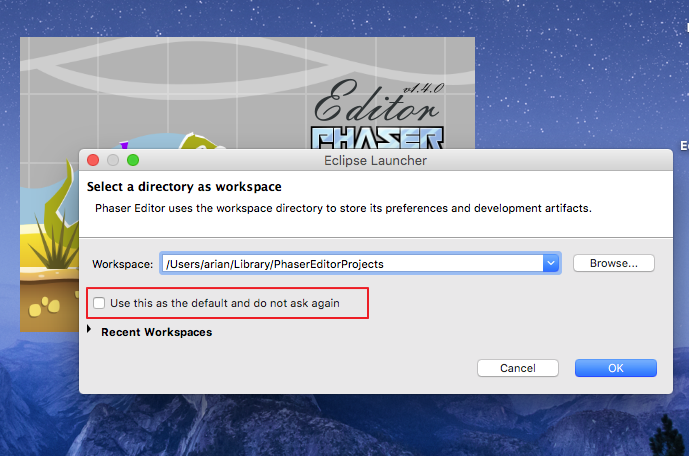
Quick start
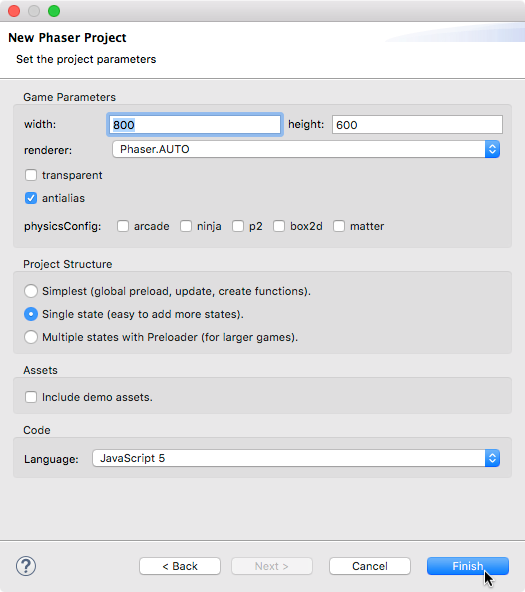
A Phaser Project Wizard allows the user to select from a common list of options and create a working Phaser project quickly. In addition, the Phaser Example Project allows the user to create a working project based on Phaser examples.
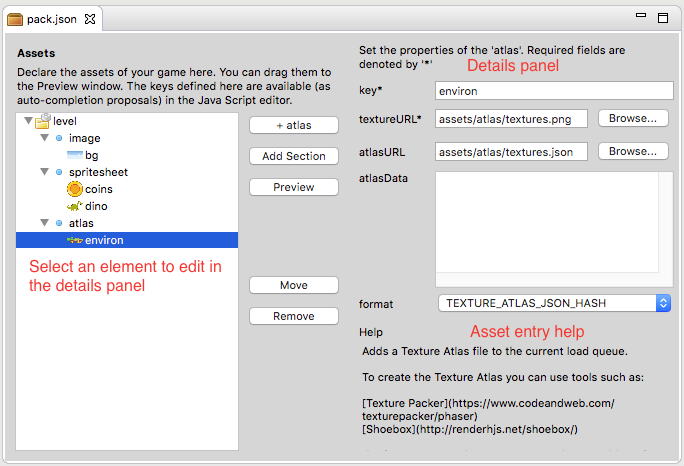
Dedicated assets management
The Asset Pack editor allows the user to pack all the assets of the games and load them in the game with a single line of code.
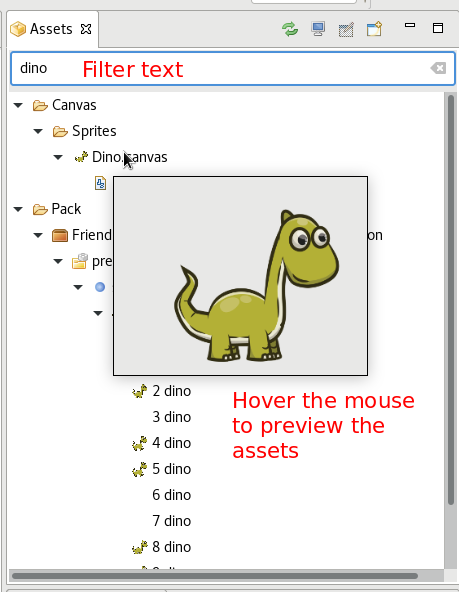
An assets navigator and in-line preview windows are provided to boost productivity.
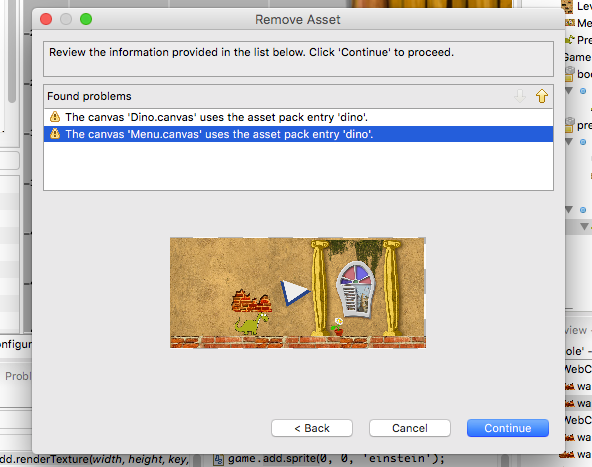
A series of asset refactoring operation are provided to make easier the evolution of the art of the games.
Scene editor
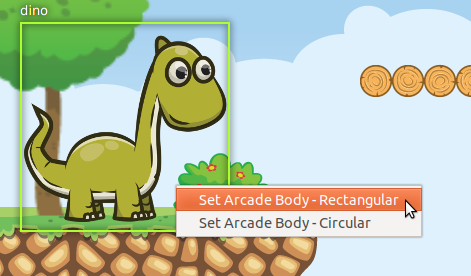
The most important feature (and a huge topic) of the editor is the built-in level designer. With this editor, you can create the scenes of your game by dragging the assets and objects.
Different types of scenes are supported: State, Group, and Sprite. Group and Sprite are prefabs that can be used in other scenes. Arcade physics and Sprite-sheet animations are fully supported.
The scenes are compiled into JavaScript or TypeScript, and users can insert their own code in the middle of creation, so there is no limit on what could be created.
Advanced JavaScript editor
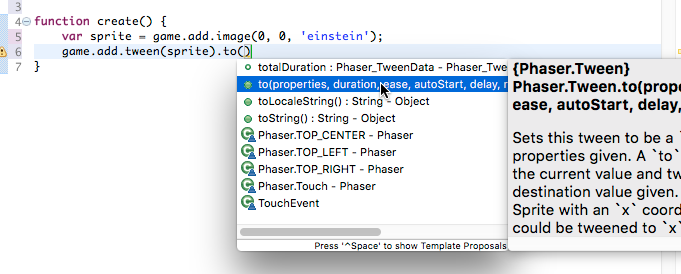
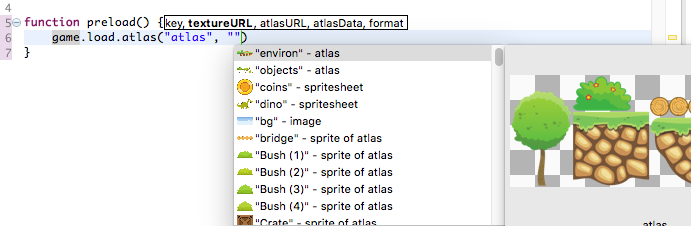
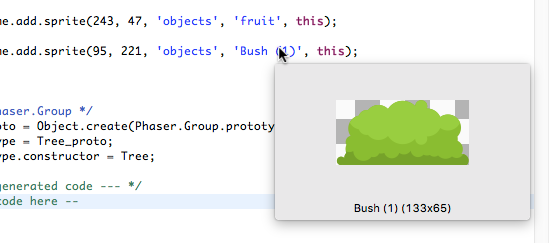
The default Eclipse JavaScript editor was extended to support the Phaser API auto-completion. In addition, you get code assist of the assets names and easing literals (auto-completion and in-line preview)
TypeScript is supported via a third-party plugin.
Advanced documentation tools
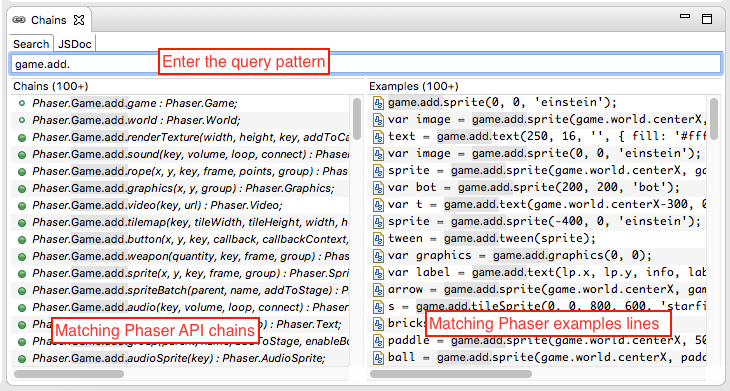
An accessible documentation is a key element to get the job done quickly. Phaser Chains is a powerful tool to browse the Phaser documentation and examples. In addition, all the Phaser documentation is indexed and can be navigated in a traditional way, but offline.
Preview
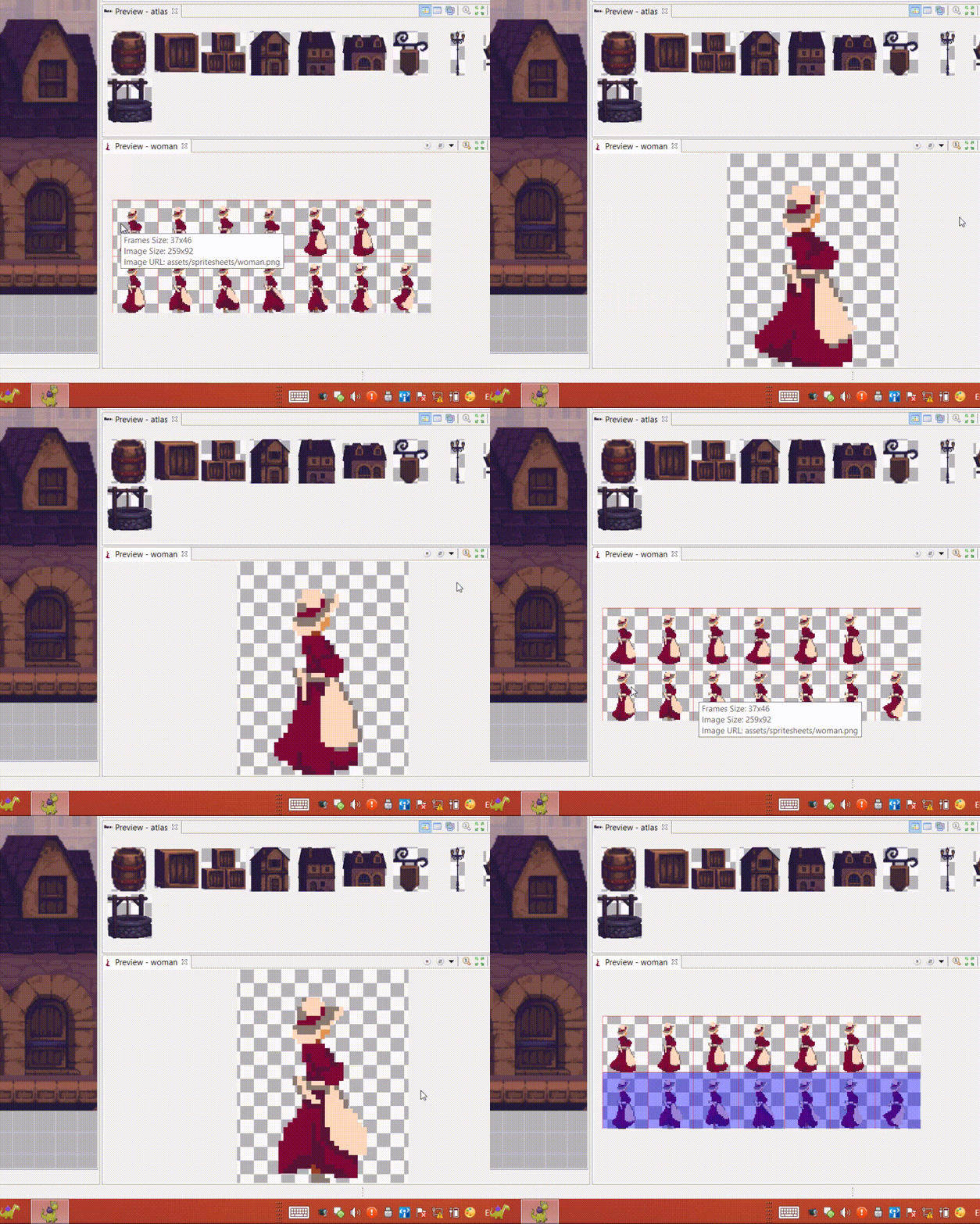
A pre-visualization of the assets helps on the creation of the scenes but also in the codification of the game logic. The Preview window allows to visualize any kind of assets from different perspectives and providing different information, like size or names. There some advanced preview components, like the sprite-sheet preview, that allow running animations.
Texture packer
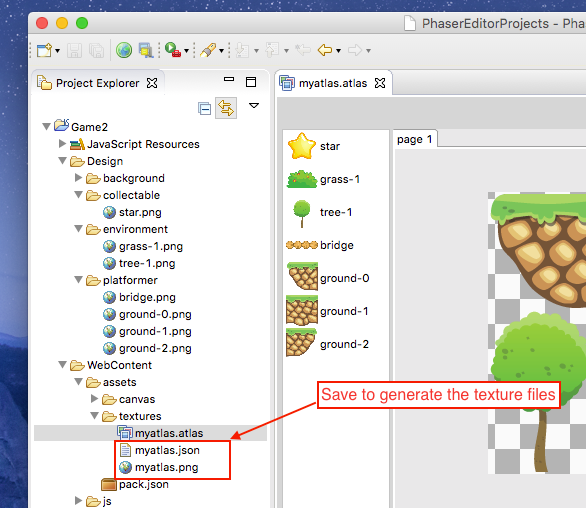
Phaser use texture maps to optimize the memory, rendering and download speed. This is a technique used widely in game development. The Atlas Generator allows packing images into maps by using advanced algorithms.
Audio sprites editor
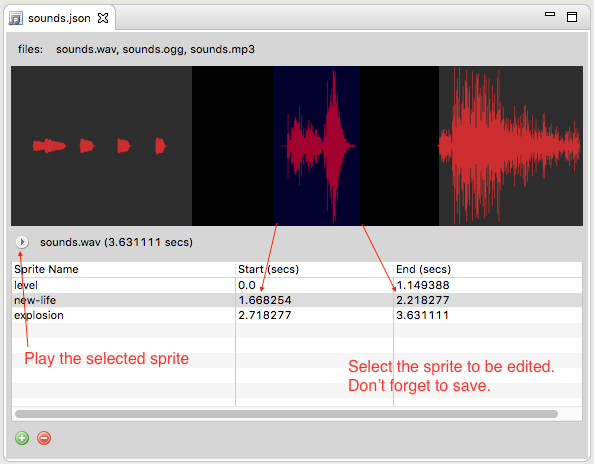
Similar to texture maps, the audio maps allows packing several sounds in a single file.
Autmatic Update
Editor updates are downloaded automatically and can be installed without the need for a complete download and installation.